Open your everyday apps
Your chats, browser, or editor.
Reach the app you need in a gesture.
Right ⌘ · Double tapOpen WeChat
 Rynoa
RynoaA small utility for macOS
Press a key. Tap your Mac.
Keep everyday actions close at hand.
 RynoaExample action
Small gestures. Useful actions.
Right Command, right Option, or a gentle body tap.
Give each gesture a shortcut of its own.
From a single tap to a long press, use right Command for more of your everyday actions.
Keyboard shortcuts work as usual. Customize any mapping.
Select a gesture to explore an example. This is a demo; customize your actions in Rynoa.
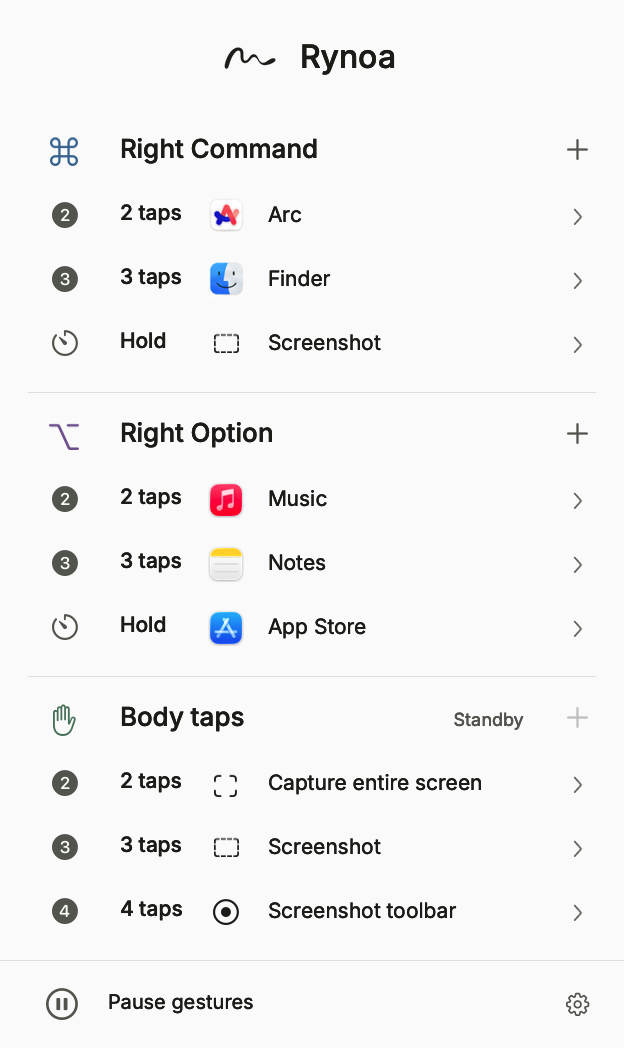
Easy to set up. Easy to pause.
Keep working the way you already do.
Start with just one action you use every day.
Click + next to a group and choose a gesture.
Open an app, record a keyboard shortcut, or choose a system action.
Reopen the panel within five seconds to continue where you left off.
Make it yours
Your chats, browser, or editor.
Reach the app you need in a gesture.
Record a shortcut you already use.
Run it with one comfortable gesture.
Spotlight, mute, screenshots, and window actions.
Everyday controls, close at hand.
These are examples. You decide what each gesture does.
No recording of what you type.
No uploading of raw tap signals.
No sign-in required. A connection is needed for online help
and manual update checks.
Start with one small gesture
Rynoa for macOS
Download for macOSDownload Rynoa and follow the setup guide to add your first gesture.